
For Mac and iPhone
Everything you already have, in one place.
Your calendar, reminders, notes, mail, messages, saved links and documents in one window. Nothing moves. Each thing stays in the app it lives in, and Kompleet shows it to you together.
Free for a month. Then $5 a month, $40 a year or $100 once.
01 · Tour
Six ways to look at the same day.
Every view reads from the apps you already use. Pictures here are the real app, on made-up data.
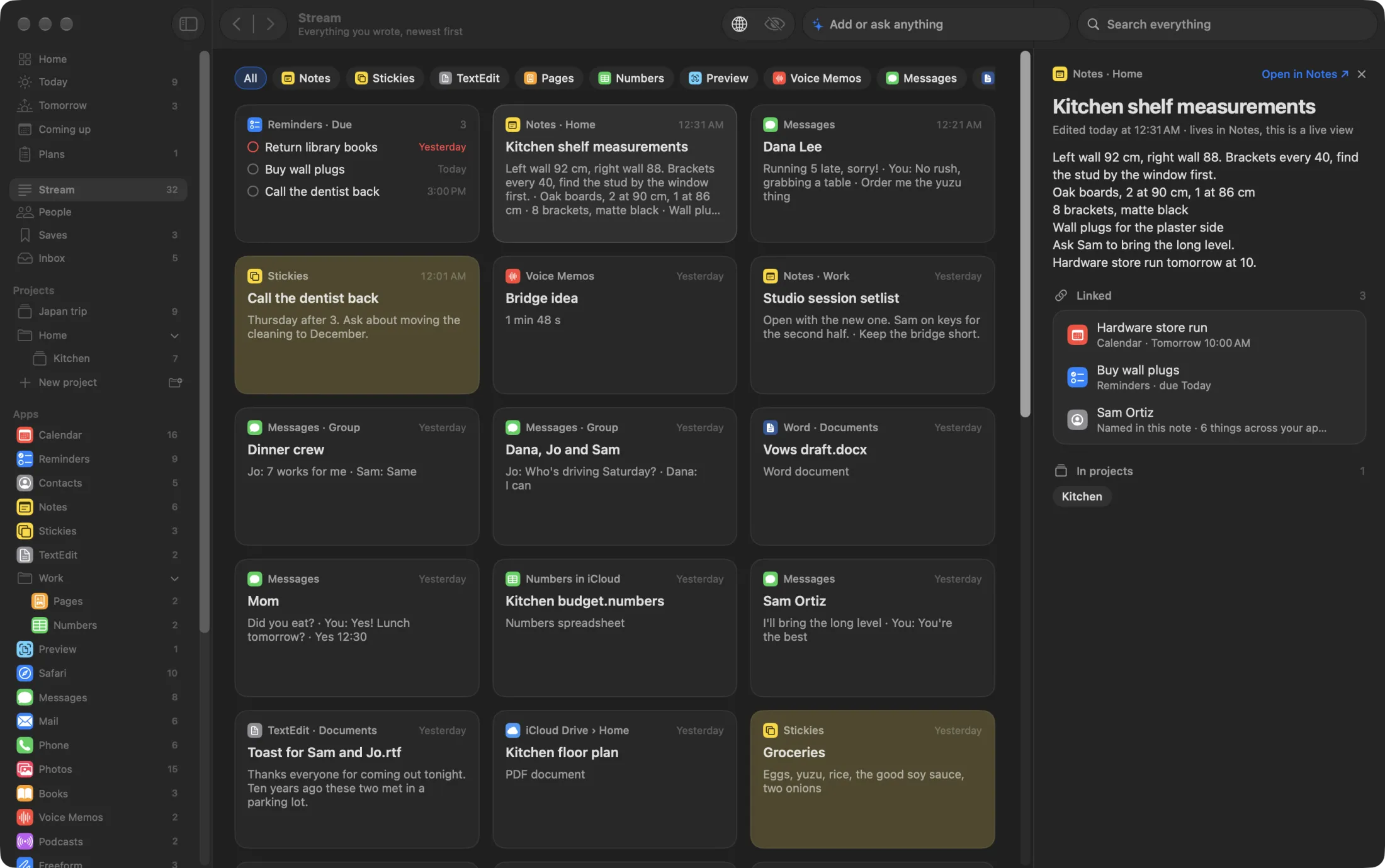
Stream: what changed, newest first.
Notes, stickies, messages, voice memos and documents as they change. A busy day in one app folds into a single stack you can open or close. Photos and files that came with a message show as small pictures, and a click opens them.
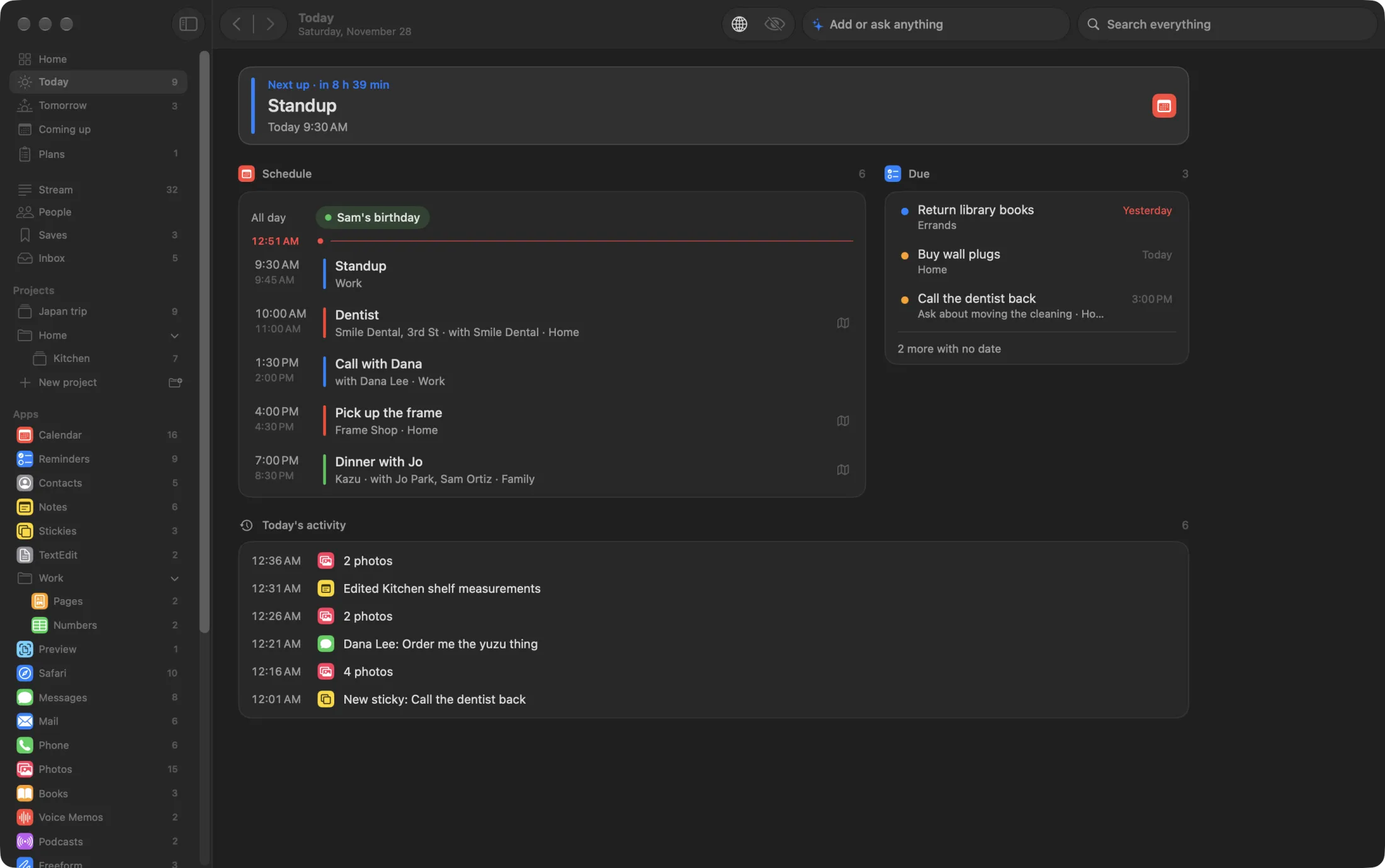
Today: your day on one page.
What's next, the schedule with a line at the current time, what's due and what you did. Switch to the week to see seven days at once.
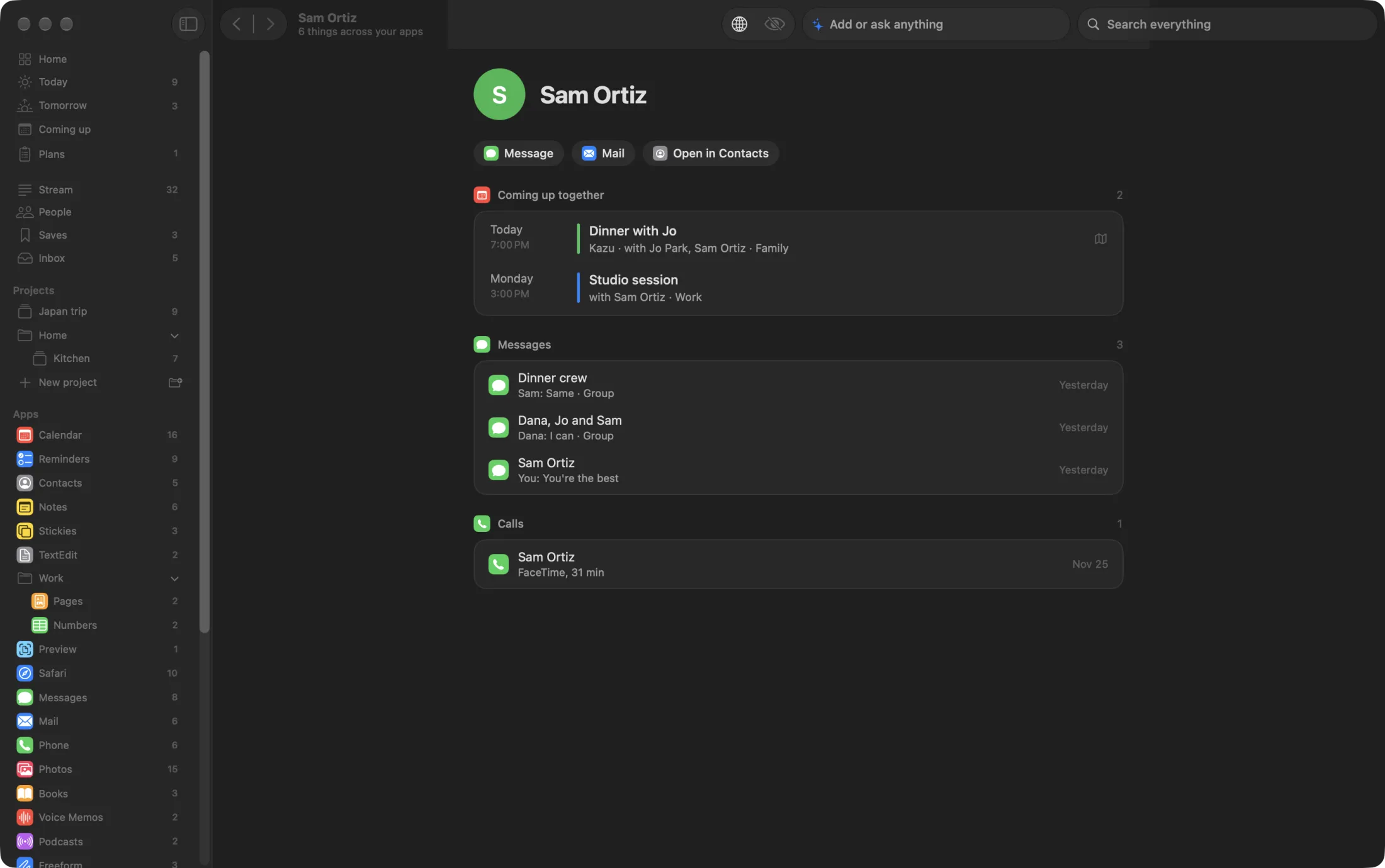
People: everything with one person.
Plans you share, your messages, mail and calls with them, and the notes that mention them, on one page. Message, mail or open their card from the top.
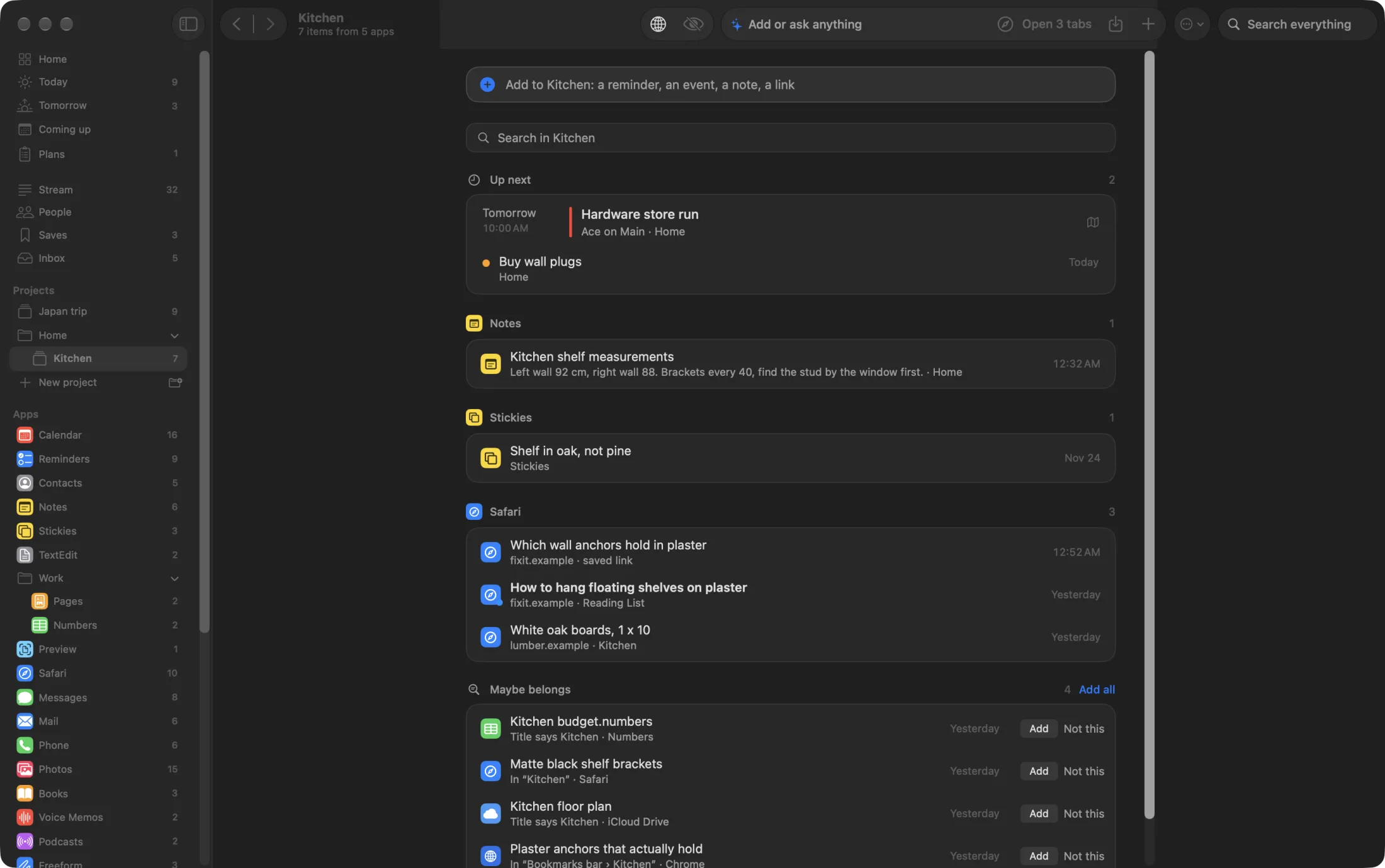
Projects: group things without moving them.
Put a note, an event, a reminder, a file and a link in one project. Each stays where it lives. Kompleet suggests things that look like they belong, and you add them with one click.
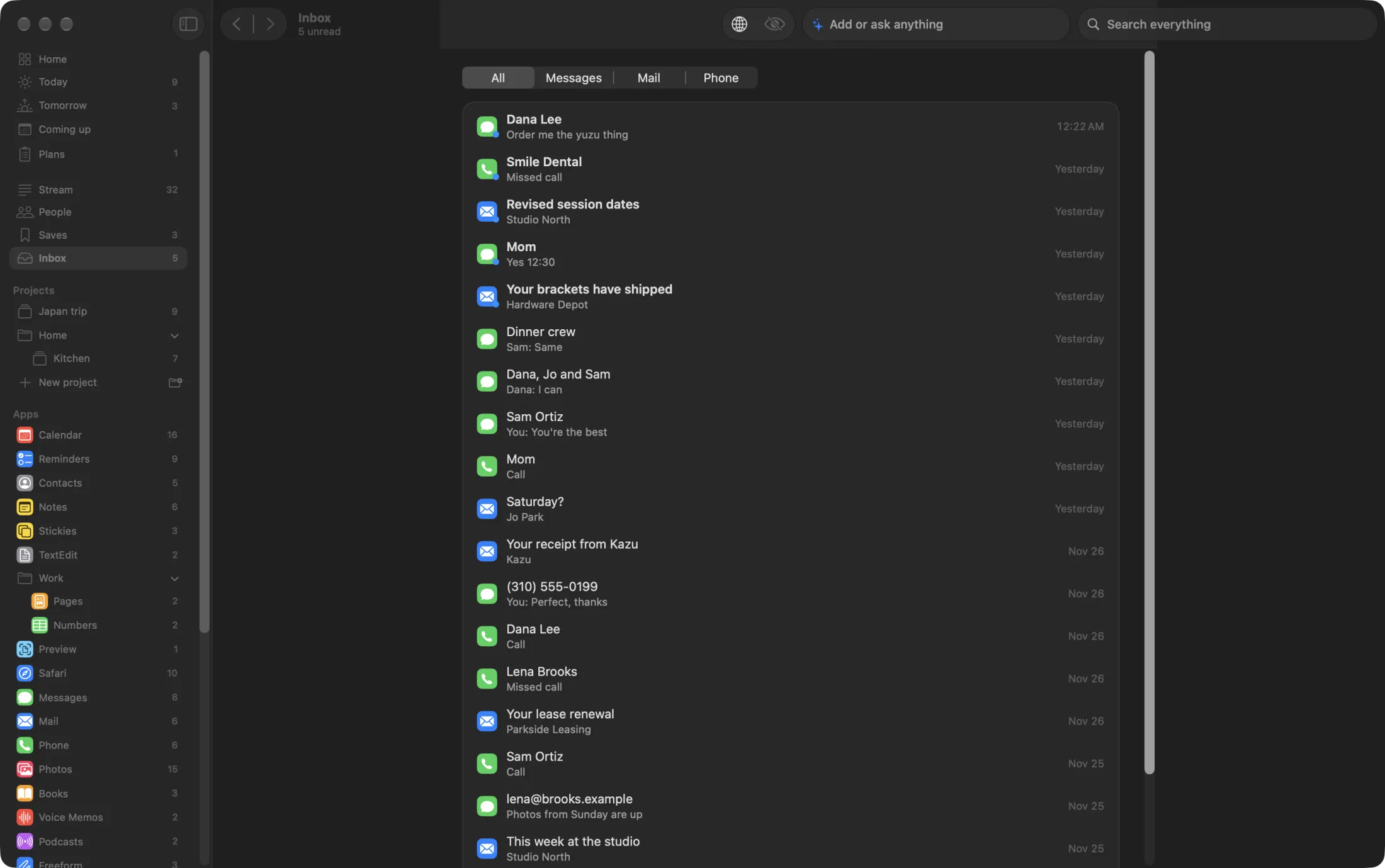
Inbox: messages, mail and calls in one list.
Who wrote, who called, newest first. Reply opens the reply in Mail or Messages, so you send it yourself. Kompleet never sends anything on its own.
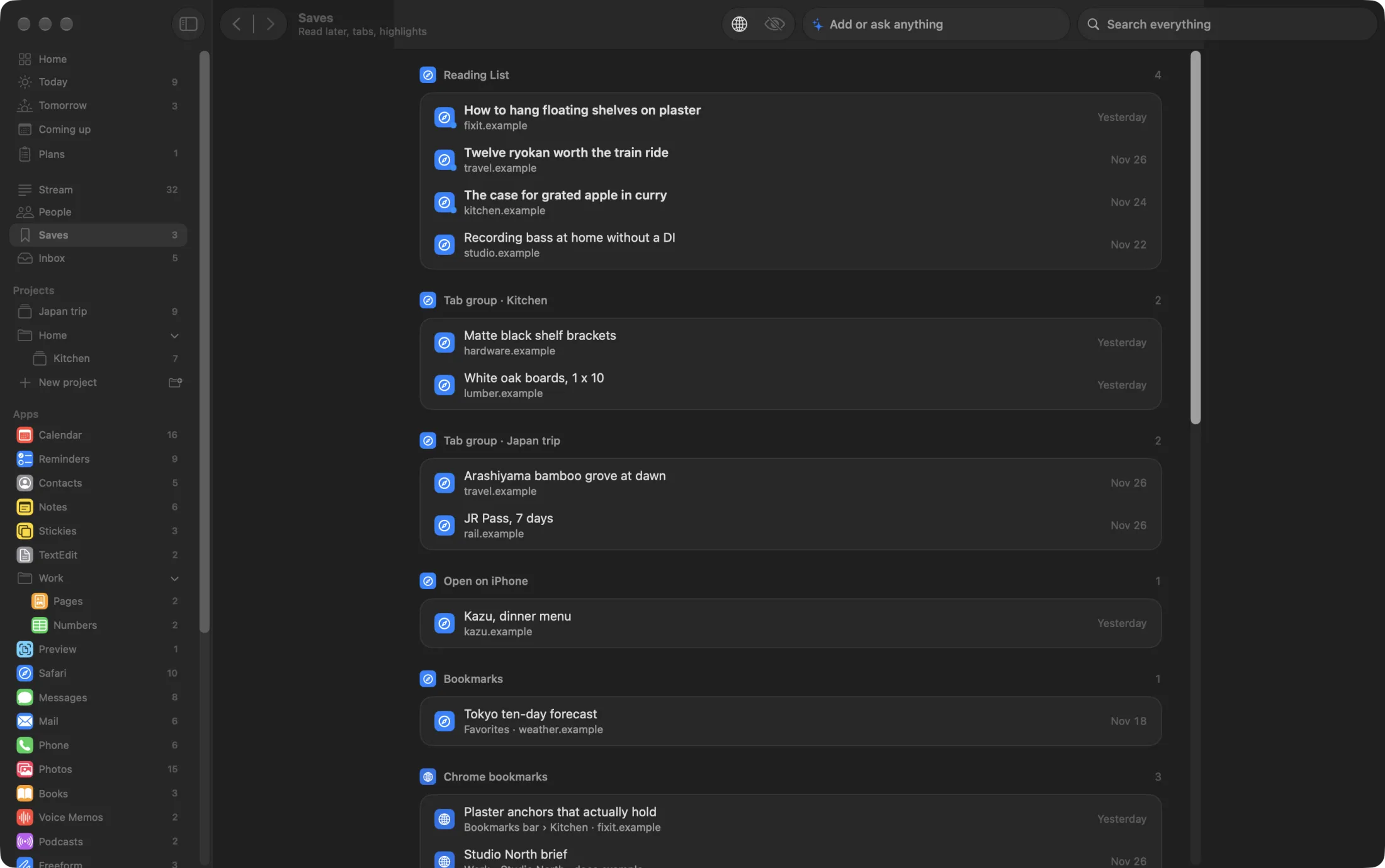
Saves: every link you kept.
Your Reading List, tab groups, bookmarks and what's open on your iPhone, with Chrome and Firefox bookmarks next to them.
- Calendar
- Reminders
- Contacts
- Notes
- Stickies
- Messages
- Phone
- Safari
- Photos
- Voice Memos
- Freeform
- Pages
- Numbers
- Keynote
- TextEdit
- Preview
- Books
- Podcasts
- iCloud Drive
- Chrome
- Firefox
- Edge
- Word, Excel, PowerPoint
- Google Drive
- OneDrive
- Dropbox
02 · Privacy
No account. Your things stay yours.
Your things never come to us.
- No account to make. No email, no sign-in, no profile.
- Your own iCloud carries your Mac's view to your iPhone, in your private space. We can't see it.
- Off until you turn it on. Each app has its own switch, and Apple asks your permission for each one.
- Locked on the device. Kompleet's index is encrypted, with the key in your Keychain.
- No ads, no tracking inside the app.
Quick hide and a private lock.
Someone walks up? One shortcut covers the window with an ordinary browser page. Lock the app behind Touch ID when you step away.
Nothing is deleted.
Kompleet adds notes, reminders and events when you ask. It never deletes or changes what you already have. Cleanups are drafted as a plan, and nothing runs until you tap Run.
Your AI agent, if you want one.
On the Mac, connect an AI agent and it can search and add, within the switches you set. Siri and Shortcuts work on both. Whatever the agent reads goes to the company that runs it.
03 · Mac and iPhone
The full version on your Mac. The pocket version on your iPhone.
Mac
Every app above, in one window and a menu bar panel. A direct download, checked by Apple and kept up to date by itself.
iPhone
Its own app. Calendar, Reminders, Contacts and Photos from the phone itself, plus everything your Mac reads, carried over by your own iCloud.
04 · Pricing
One plan with everything. Three ways to pay.
Every plan starts with a free month. No card to start.
Monthly
$5a month
Stop when you like.
Yearly 4 months free
$40a year
The same as eight months of monthly.
Once
$100once
Pay one time. It never asks again.
On the Mac you pay by card and get a key by email. On iPhone you pay through the App Store.
05 · Questions
Questions.
Does Kompleet upload my things?
No. Kompleet reads your apps on your device. If you turn on sync, your Mac's view goes to your iPhone through your own iCloud, in your private space that we can't see. None of your things ever reach our servers.
Which apps does it work with?
On the Mac: Calendar, Reminders, Contacts, Notes, Stickies, Mail, Messages, calls, Safari, Photos, Voice Memos, Freeform, Pages, Numbers, Keynote, TextEdit, Preview, Books, Podcasts and iCloud Drive, plus Chrome, Firefox, Edge, Office files, Google Drive, OneDrive and Dropbox. On iPhone: Calendar, Reminders, Contacts and Photos, plus what your Mac sends.
Can it change or delete my things?
It can add a note, a reminder, an event or a text file when you ask. It never deletes or edits what's already there. Bigger cleanups, like moving stickies into Notes, are drafted as a plan that you read and run yourself.
How does the AI agent part work?
On the Mac, Kompleet can connect to an AI agent you already use. The agent can search and add only in the apps you allow, and it can't delete anything or run a cleanup. What it reads goes to the company that runs the agent, under that company's terms.
What happens after the free month?
Kompleet stops showing your things until you pick a plan. Nothing is deleted, and your apps keep working as always.
Do I need both a Mac and an iPhone?
No. Each works on its own. The Mac version reads the most; the iPhone version reads what the phone has and, with sync on, what your Mac reads too.
What do I need to run it?
macOS 26 or later on the Mac, iOS 26 or later on iPhone.
When can I get it?
Soon. Leave your email below and we'll write once, when it's ready.
06 · Get notified
Hear when it's ready.
One email when Kompleet is out. Nothing else.