
Verdict
Two options.
One committed answer.
An instant second opinion. Show Verdict a photo of each option, say what it’s for, and it picks one. It tells you why, how sure it is, and what the other one does better. It never says “it depends”.
01What it is
The second opinion that actually answers.
When you can’t choose between two things, you ask someone. You text a friend a photo, post a poll, ask whoever is nearby. And you get “both are nice”, or “depends what you want”.
Verdict is built to commit. It’s told never to refuse, never to say “it depends” and never to split the difference. When it’s close, it says so with a low score, and it still picks one.
It weighs what it can see in the two photos against what you said they’re for, like a sharp friend with taste, not a flatterer. If you say which way you’re leaning, it decides without seeing that, so when it agrees with you, it means something.
Then it asks which one you went with. A second opinion is only worth having if it holds up, and that is how Verdict keeps score.
02How it works
Two photos in.
One pick out.
- 01
Add the two options
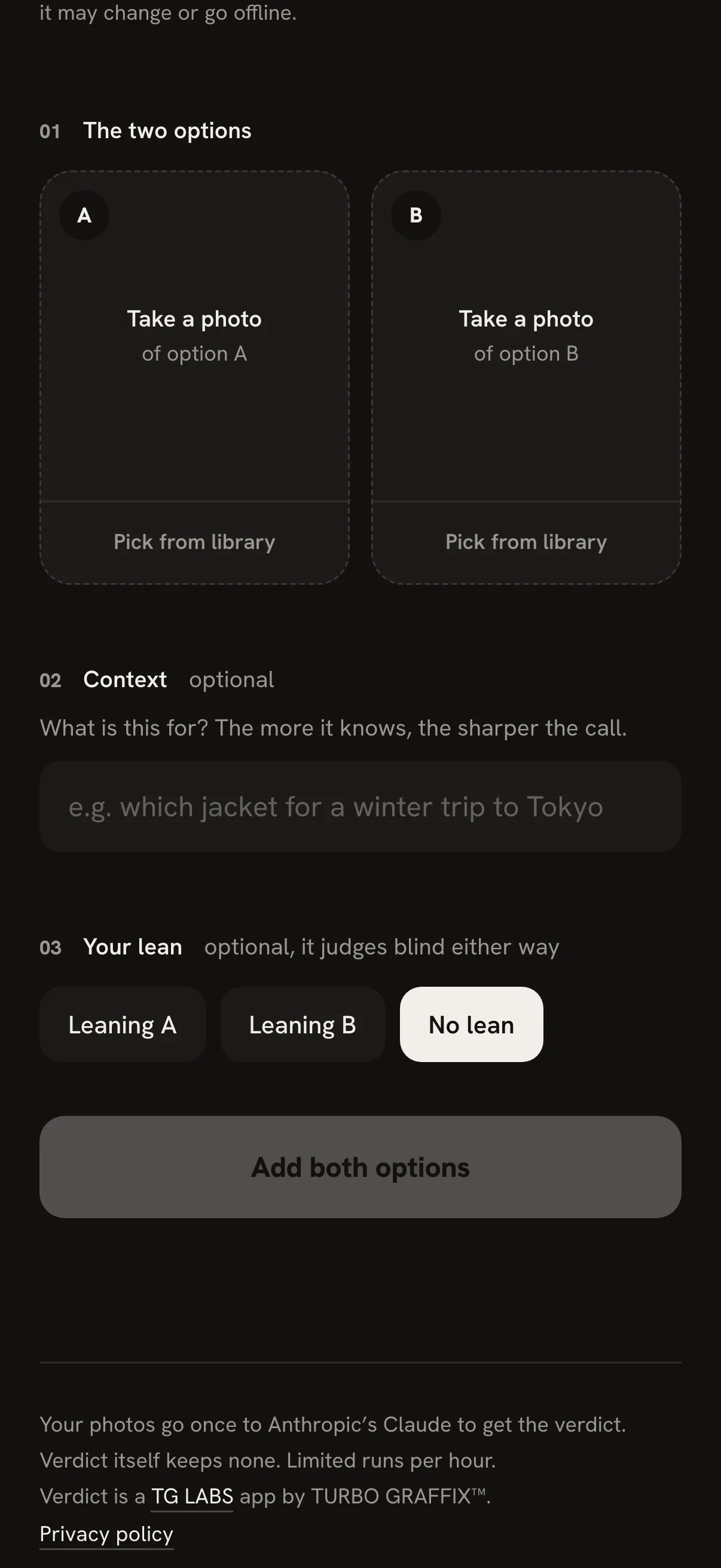
Take a photo of each right in Verdict, or pick two from your library. Clothes, paint, furniture, food, two listings, two designs: if you can photograph it, Verdict can weigh it.
- 02
Say what it’s for
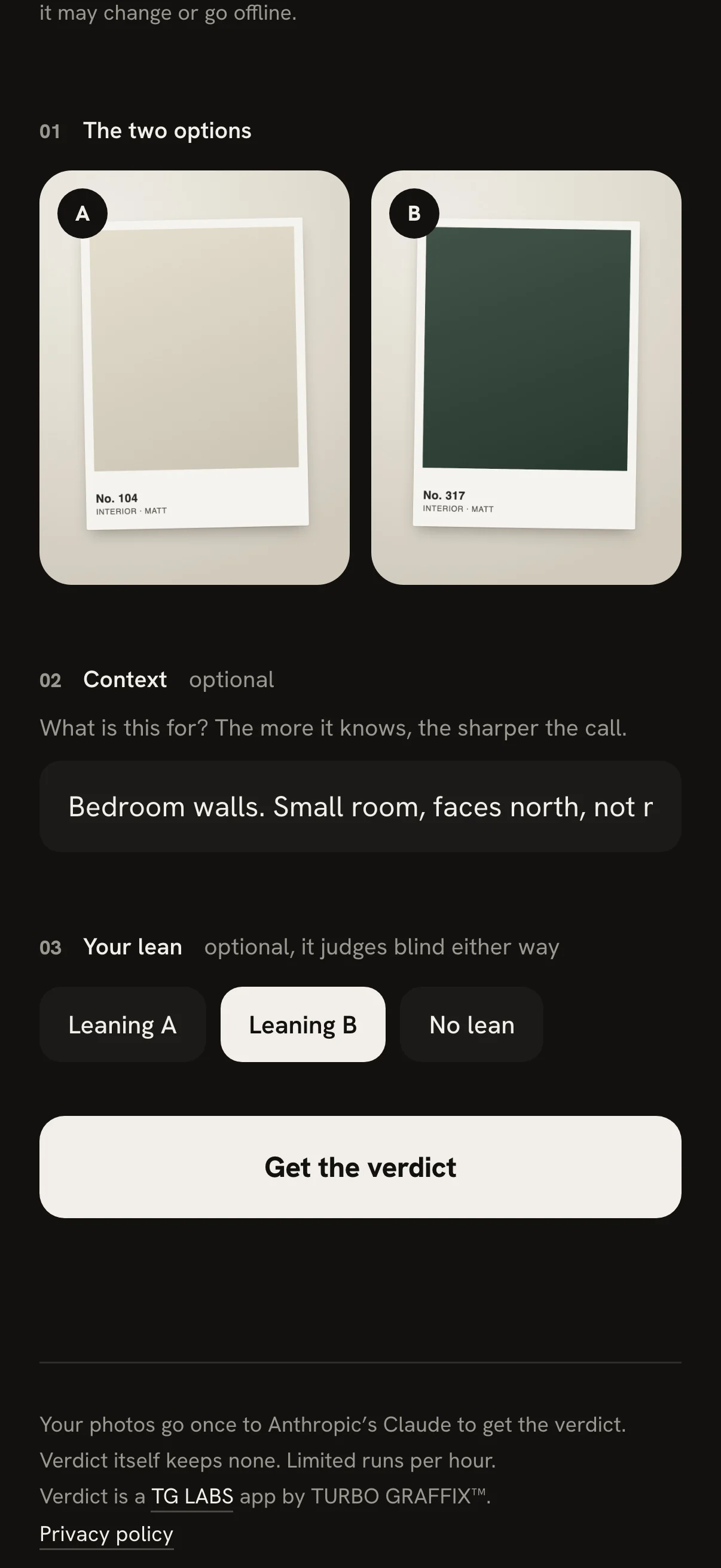
One line, like “which jacket for a winter trip to Tokyo”. It’s optional, but it’s the difference between a guess and a judgment: the more it knows, the sharper the call.
- 03
Say which way you’re leaning
Also optional. The judge never sees it: it decides blind, and only then does Verdict tell you whether it agrees with you or overrules you.
- 04
Get the verdict
One winner, never a tie, and how sure it is: 55 is close to a coin flip, 75 is a clear call, 90 and up is obvious. The loser drains to grey and steps back; the winner gets the ring.
- 05
Read why, then say what you did
Three reasons, and what the other one does better, so you know what you’re giving up. Then it asks which one you actually went with. Answering is optional.
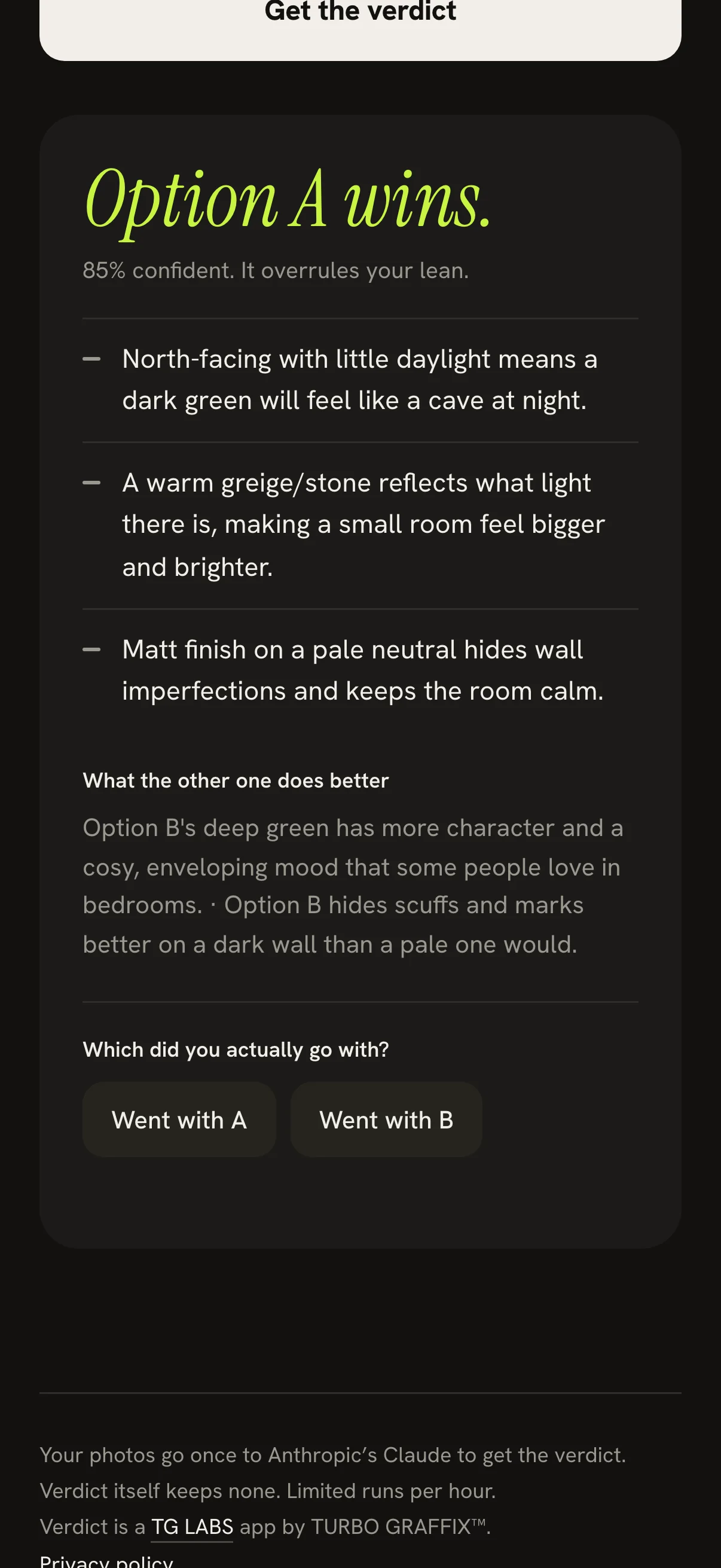
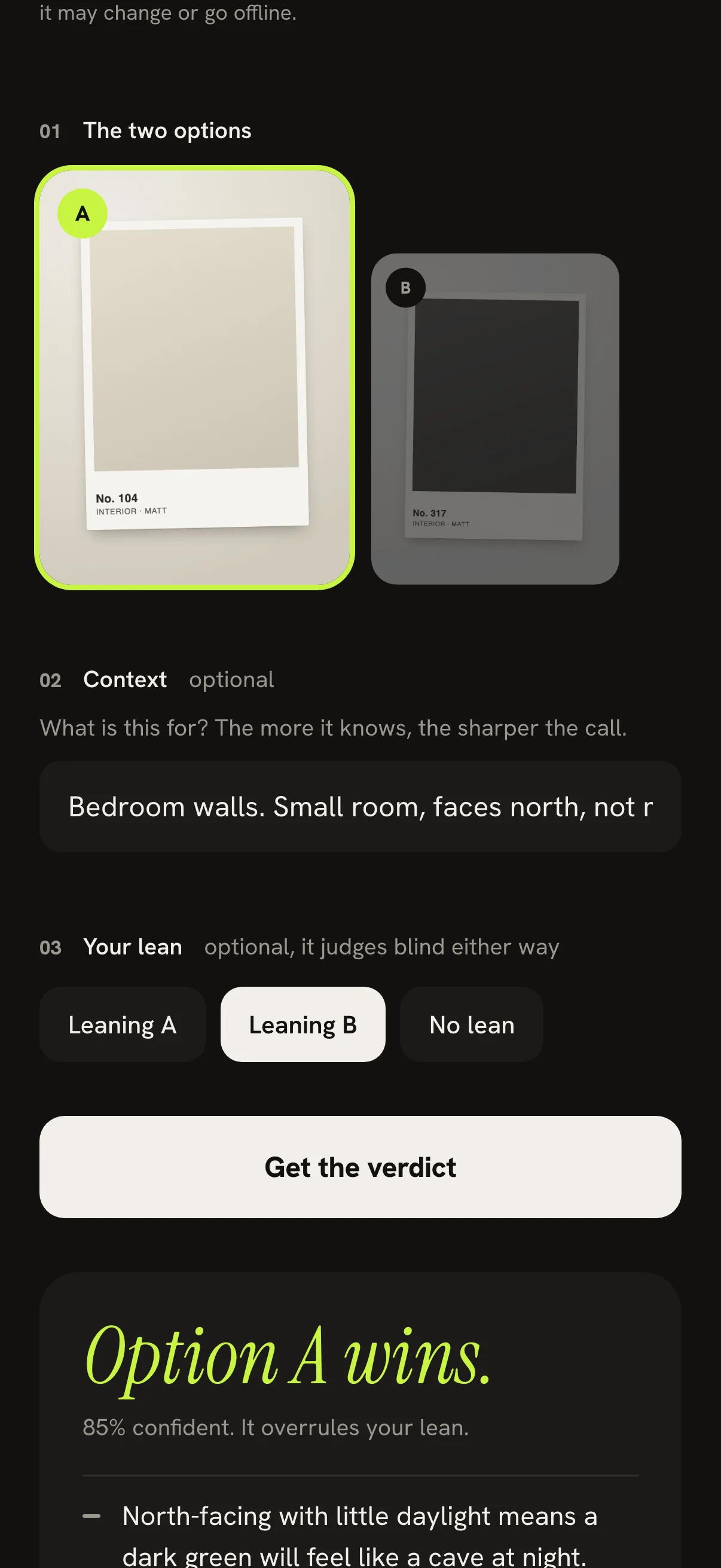
The verdict on these screens is real and unedited. The photos are two paint chips we made for this page; the call (A, 85% sure, against a lean for B) is what Verdict said.
03Examples
Anything with two options you can photograph.
A photo of each, one line about what it’s for. A few to start with:
Which jacket?
Athe black parkaBthe wool coat
“Winter trip to Tokyo, lots of walking.”
Which paint?
Athe warm whiteBthe deep green
“Bedroom walls. Small room, faces north, not much daylight.” This one is real: it picked the warm white, 85% sure. See it
Which shoes?
Awhite trainersBbrown loafers
“Navy suit, summer wedding.”
Which logo?
Adraft oneBdraft two
“Coffee cart. Has to read from across the street.”
Which flat?
Alisting oneBlisting two
“I walk to work and I cook every night.”
Which dish?
Athe ramenBthe katsu curry
“First date. Nothing messy.”
Two photos and one line is all it sees. Keep it to calls like these, not health, money or legal ones, and don’t show it anything you wouldn’t show a stranger.
04Get Verdict
Keep it on your phone.
Verdict runs in your browser, so there’s no store and nothing to download. Add it to your Home Screen or Dock and it opens full screen, like any app, and updates itself.
- iPhone and iPad
- In Safari, tap then Share, then Add to Home Screen.
- Android
- In Chrome, open the menu, then Install app.
- Mac
- In Safari, choose File, then Add to Dock. In Chrome, use the install button in the address bar.
- Windows and Chromebook
- In Chrome or Edge, use the install button in the address bar.
Needs an internet connection to decide.
05Questions
Good to know.
Is it free?
Yes, while it’s in development. Every verdict is a real call to an AI model, so each person gets 6 an hour, and Verdict stops for the day after 150 in all. It may change, or go offline, while it’s being built.
Where do my photos go?
Once, to Anthropic’s Claude, the AI model that makes the call, under Anthropic’s terms: it doesn’t train on them, and deletes them within 30 days. Verdict itself keeps no photos. On iPhone, a photo you take in Verdict isn’t saved to your camera roll either.
What does Verdict keep?
What you typed, its answer, and which one you went with, if you say. Instead of your internet address it keeps a scrambled code. No photos, no account, no name or email.
What can I compare?
Anything you can photograph: clothes, shoes, furniture, paint, food, a screenshot of two listings or two designs. It judges what’s in the frame, so get each option in clear light. Big phone photos are made smaller on your phone before they go up.
Does it work on a computer?
Yes. Open it in any browser and drop the two photos in. Chrome and Edge can install it as an app; on a Mac, Safari can add it to the Dock.
Does it work offline?
Once it’s on your Home Screen it opens without a connection, but it needs the internet to decide.
Who makes it?
TURBO GRAFFIX™. Verdict is a TG LABS app, which means it’s still in development: runs are limited and it may change.
06Version history
What changed, and when.
- Current
- ChangedVerdict now asks Anthropic’s Claude to make the call. Anthropic doesn’t train on your photos and deletes them within 30 days (privacy).
- ChangedOpen in the EU, the UK and Switzerland again.
-
- BetterWhen Verdict is busy or has reached its daily limit, it says so in plain words instead of an error code.
- ChangedVerdict isn’t offered in the EU, the UK or Switzerland for now, and says so as soon as you open it there.
-
- NewA privacy policy, in plain words.
- BetterEvery photo goes up without its hidden details, like where it was taken.
-
- NewTake a photo of each option right in Verdict, or pick it from your library. On iPhone, a photo you take in Verdict stays out of your camera roll.
- NewThis page, with the steps to keep Verdict on any phone or computer.
- NewAn Install button: one tap in Chrome, Edge and on Android. On iPhone and Mac it shows you the steps.
- NewIts own look. The icon is a V split in half, breaking out into a check. The app went dark so your photos are judged on neutral; the losing photo drains to grey and steps back, and the winner gets a lime ring.
- BetterBig phone photos. A photo over 6 MB is made smaller on your phone before it goes up, instead of being turned away.
-
- NewKeep Verdict as an app. Add it to your Home Screen or Dock: it opens full screen and updates itself.
- NewAfter each verdict, it asks which one you actually went with.
-
- NewVerdict on the web: anyone with a browser can use it, a few runs an hour each.
-
- First versionTwo photos in, one committed pick out. The first TG LABS app.